Floral Gold Split Monogram Alphabets: A Comprehensive Guide to Digital Design Assets
In the evolving landscape of personalized crafting and digital design, few elements convey elegance quite like a well-executed monogram. The Floral Gold Split Monogram Alphabets collection represents a specific niche within this domain, bridging the gap between vintage typographic tradition and modern vector technology. For creators, small business owners, and hobbyists, understanding the technical composition and practical application of these assets is essential for achieving professional results. This guide explores the utility, format specifications, and real-world applications of this digital bundle, ensuring you can leverage these files effectively across various platforms.
Understanding the Split Monogram Aesthetic
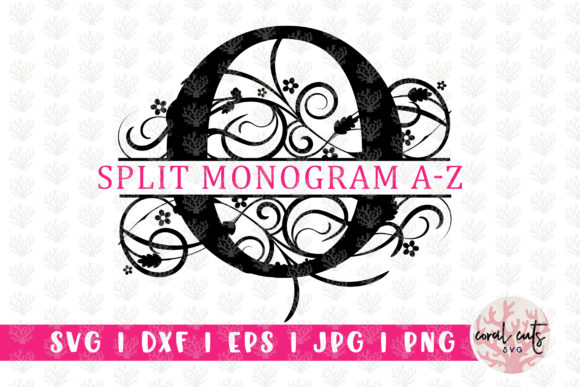
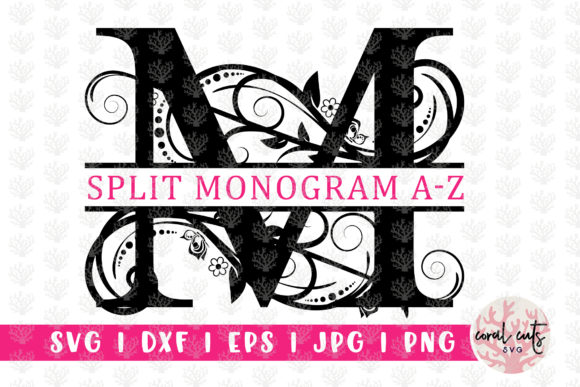
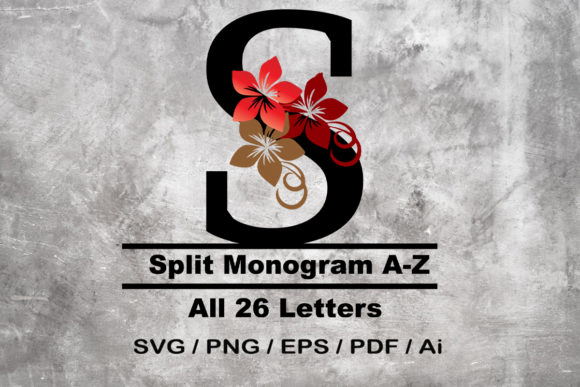
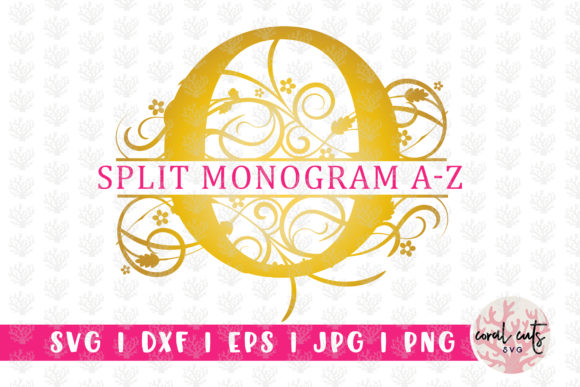
Before diving into file formats, it is crucial to understand what distinguishes a "split monogram" from standard typography. Unlike a continuous script font, the Floral Gold Split Monogram Alphabets are designed as individual graphical elements where the letterform is interrupted or "split" to accommodate additional text, such as a first name, last name, or significant date. This structural characteristic makes them fundamentally different from installable typefaces.
The inclusion of floral motifs intertwined with gold-accented lettering adds a layer of complexity that requires high-resolution vector data to maintain crisp edges during production. Whether you are etching glass, embroidering linens, or printing wedding stationery, the integrity of these intricate details relies entirely on using the correct file type for your specific machinery or software. Recognizing that these are pre-designed art assets rather than a keyboard-typable font is the first step toward successful project execution.
Technical Breakdown of Included Files
The versatility of the Floral Gold Split Monogram Alphabets lies in the comprehensive bundle provided. Each of the 26 letters is available in five distinct formats, totaling 130 individual files. Understanding the specific purpose of each format prevents workflow bottlenecks and ensures compatibility with your equipment.
SVG: The Standard for Cutting Machines
For users of Cricut Design Space and Silhouette Designer Edition, the SVG (Scalable Vector Graphics) files are the primary asset. These files retain path data that allows cutting machines to recognize individual layers and cut lines. Because SVGs are vector-based, they can be resized infinitely without losing quality, which is vital when adjusting a monogram from a wine glass decal to a large wooden sign. When working with the Floral Gold Split Monogram Alphabets in SVG format, the machine reads the floral elements and the letter splits as separate cut paths, allowing for multi-color vinyl layering or precise paper cuts.
DXF: Compatibility for Legacy Systems
While SVG is the modern standard, many older cutting machines and specific industrial plotters do not support it natively. The bundle includes DXF (Drawing Exchange Format) files specifically for this scenario. DXF serves as a universal CAD data format. If your software fails to import the SVG or interprets the nodes incorrectly, the DXF alternative provides a fallback option. It is worth noting that DXF files sometimes lack layer color information upon import, so users may need to manually assign cut lines versus score lines within their software after loading the Floral Gold Split Monogram Alphabets.
EPS: Professional Vector Editing
Graphic designers and professionals using Adobe Illustrator or CorelDraw will rely on the EPS (Encapsulated PostScript) files. Unlike cutting-ready files, EPS assets are intended for deep editing. If you need to adjust the curvature of a floral vine, change the gold gradient to a solid spot color for screen printing, or combine multiple letters into a single locked logo, EPS is the required format. This editable nature allows the Floral Gold Split Monogram Alphabets to serve as a foundation for custom branding rather than just a static clip-art element.
PNG: Transparency for Digital and Print
Not every project involves cutting or vector manipulation. For sublimation printing, web design, or digital invitations, the PNG files are indispensable. These raster images feature transparent backgrounds, allowing the ornate gold and floral details to sit cleanly over colored cardstock or digital textures without a white box border. When using the Floral Gold Split Monogram Alphabets for sublimation tumblers or t-shirts, the PNG format ensures that only the design transfers, preserving the material's base color in the negative spaces of the split letter.
JPEG: High-Resolution Archiving
The bundle concludes with 300 DPI JPEG files. While similar to PNGs, these include a solid background and are optimized for high-quality print archival. They are particularly useful for clients who may not have specialized design software but wish to insert a monogram into a Word document or basic photo editor for home printing. The 300 DPI resolution ensures that the gold textures remain sharp when printed at standard sizes, avoiding the pixelation common in web-only graphics.
Practical Applications and Use Cases
The true value of this collection emerges when applied to tangible projects. The split nature of these alphabets solves a common design challenge: integrating long names into compact circular or shield-shaped frames. Here are several scenarios where these assets excel:
- Wedding Stationery: Creating cohesive place cards, menu headers, and welcome signs where the couple’s initial anchors the design while full names fit neatly within the split.
- Personalized Gifts: Laser engraving on leather journals or wood slices, where the contrast between the darkened burn marks and the natural material highlights the floral details.
- Apparel Customization: Heat transfer vinyl (HTV) projects for bridal party robes or baby onesies, utilizing the SVG layers to apply gold foil accents against matte fabric.
- Corporate Branding: Boutique businesses using the EPS files to create elegant social media watermarks or certificate borders that imply luxury and attention to detail.
Important Distinctions and Limitations
To manage expectations and prevent technical frustration, users must acknowledge what this product is not. This is not a font file. There are no .TTF or .OTF files included in this bundle. You cannot install these alphabets into your system fonts folder, nor can you type them out using a keyboard in Microsoft Word or Canva.
Each letter is an individual image or vector object. To create a word or phrase, you must manually place each letter file onto your canvas and align them. While this requires more setup time than typing with a standard font, it offers superior control over spacing and composition. The trade-off for manual placement is the ability to treat each letter as a standalone piece of art, adjusting the scale of individual characters to create dynamic, asymmetrical layouts that standard fonts cannot achieve.
Evaluating Suitability for Your Workflow
Before integrating the Floral Gold Split Monogram Alphabets into your library, assess your current hardware and software ecosystem. If you primarily use mobile apps or basic online editors, verify that they support SVG or PNG uploads with transparency. For users with Silhouette Basic Edition (non-Designer), remember that you may need to use the DXF files or upgrade your software to utilize the SVGs directly.
Additionally, consider the output size. While vectors (SVG, EPS, DXF) scale indefinitely, the raster files (PNG, JPEG) have fixed dimensions. If your typical projects exceed 12 inches in width, prioritize vector workflows to avoid blurriness. Conversely, if you produce exclusively digital content or small-scale sublimation items, the PNG files may become your most frequently accessed assets.
Optimizing Design Outcomes
Achieving professional results with ornate monograms requires attention to detail beyond simply opening the file. When working with the gold elements in these designs, consider the medium's limitations. Digital screens display RGB gold as yellow; physical gold foil reflects light. If preparing files for metallic printing, use the EPS version to separate the gold areas into a dedicated spot color channel for your printer.
For cutting machine users, the intricate floral details may require blade adjustments. Intricate weeds can tear delicate vinyl. Utilizing the "weld" function sparingly in your software can help maintain structural integrity without fusing overlapping decorative elements unintentionally. Always perform a test cut with the Floral Gold Split Monogram Alphabets before committing to expensive materials, as the density of the floral patterns varies between letters.
Final Thoughts on Digital Asset Management
The Floral Gold Split Monogram Alphabets bundle represents a significant resource for creators seeking timeless elegance. By providing 26 complete sets across five industry-standard formats, it eliminates the guesswork of file conversion and compatibility. Success with this collection depends on respecting the distinction between editable art and installable fonts, selecting the appropriate format for your specific machinery, and understanding the aesthetic nuances of split monogram composition.
Whether you are a seasoned graphic designer expanding your toolkit or a crafting enthusiast embarking on your first personalized gift project, these assets offer the flexibility needed to bring sophisticated visions to life. Proper utilization of these files transforms simple initials into enduring works of art, proving that even in a digital age, the meticulous craft of monogramming remains a powerful form of personal expression.